
Table of Contents
Supports for Visual Impairments
Supports for Auditory Impairments
Supports for Mobility Impairments
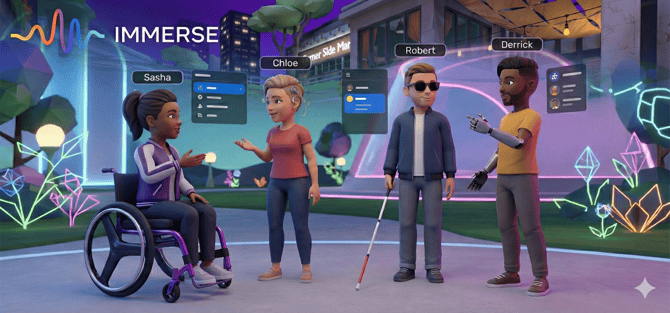
At IMMERSE, we are dedicated to making VR language learning accessible and inclusive for all users. This article outlines the accessibility features currently available for individuals with visual, auditory, or motor impairments in IMMERSE, features provided natively by Meta VR headsets, and some exciting plans for future improvements.
Learn About All Learning Tools at Your Disposal
Supports for Visual Impairments
- Content Enlargement & Zoom Feature
- Object Scanner with Listen Feature
- Language Assist - click on a word to hear it (audio playback) or click and hold on a sentence to hear the entire phrase.
- Scene Grabbable Objects List with Images and Audio Feedback
- Computer Zoom Feature
- Auditory notifications/cues: objects being moved or used, class notes being added or instructions sent, or certain gestures make noise
- For VR Users, haptic feedback vibration in the controllers makes virtual moments feel real.
Meta Quest Headset Settings
- Color Correction Filters: Adjust colors for different types of color blindness.
- Display Contrast: Make visuals sharper and bolder.
- Adjustable Text Size: From small to super-sized
Supports for Auditory Impairments
- Audio Replay During Self-paced Lessons and the Language Assist Feature to Replay words individually or sentence by sentence for processing disorders or hard of hearing
- Live Class Instructions are explained verbally, but also sent visually with the option to translate, spawn and enlarge, or ask for help.
- Spatial Audio Settings for Auditory Balance
- Visual Notifications
- On screen arrows indicating where to look if a new activity or object is spawned/placed by a Guide
- Name plates lighting up when someone is speaking
- Ability to Mute Others in Class to Focus
Meta Quest Headset Settings
- Audio Balance Adjustment
- Live Captions: See what people are saying in real time (supported Meta Horizon apps only - not fully functional in IMMERSE at this time).
- Mono Audio: Combine left and right channels into one for clear, centralized sound.
Supports for Mobility Impairments
- Mouse Speed Control: On computer, you can adjust mouse speed when in live scenes for smoother, more controlled navigation.
- Standing or Sitting Orientation Options
- Natural Walking or Teleport Movement Options
- Motion Sickness Comfort Settings
- VR Staircase Teleport Controls
View: VR Comfort - Additional Settings
Meta Quest Headset Settings
- Height Adjustment: Change from standing to sitting whenever necessary.
- Controller Remapping: Customize button layouts for your unique needs.
- Thumbstick Calibration: Ensure precise control for better interaction.
⚠️ Hand-Tracking / Controller Free
While we’re constantly striving to make IMMERSE more inclusive, our VR experience relies heavily on controller inputs, meaning a controller-free operation is not fully feasible at this time. For users with upper-body mobility challenges, we recommend using our desktop app for the best experience—it’s packed with the same great features, optimized for mouse and keyboard use.
Our Commitment to Learners
At IMMERSE, accessibility is a core value, not just a compliance goal. While our foundational platforms (IMMERSE and partner META technologies) offer robust accessibility features, we are dedicated to continuous improvement beyond the baseline. Our commitment involves:
- Proactive Feature Seeking: Constantly researching and integrating emerging accessibility technologies and best practices.
- Feature Development: Building proprietary, in-house features prioritized alongside core product updates to enhance the experience for diverse needs.
- User-Centric Design and Testing: Using an inclusive design process that gathers feedback from users with visual, auditory, cognitive, and mobility impairments to ensure enhancements are effective and intuitive.
Our goal is to ensure every user feels fully supported, engaged, and able to reach their full potential within the IMMERSE virtual learning environment.
❓ Have questions or feedback on how we can do better? We’d love to hear from you. Send us a message at support@immerse.com and let’s make learning even more inclusive, together!