
Table of Contents
Simplified In-Class Desktop Controls
New Welcome & Tutorial Experience
Introducing Capture
IMMERSE on AI Glasses
🚀 What's New in IMMERSE
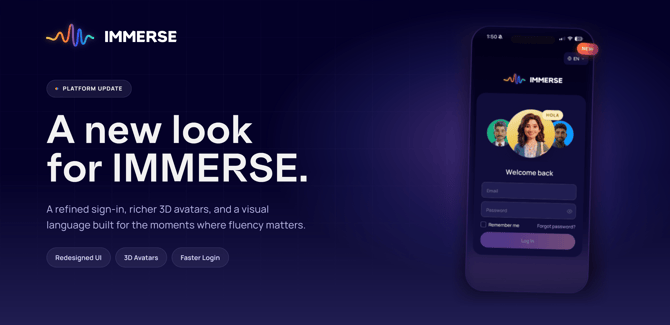
Every other tool asks you to step out of your life to study. This update is our biggest step yet toward changing that — a refreshed design, a brand new mobile app, and a new feature called Capture that turns real conversations into personalized lessons. Here's everything that's new.
🎨 A Refreshed IMMERSE
IMMERSE has a new look. We've rebuilt the platform with sharper design, faster performance, and a new color palette that reflects where IMMERSE is headed next.
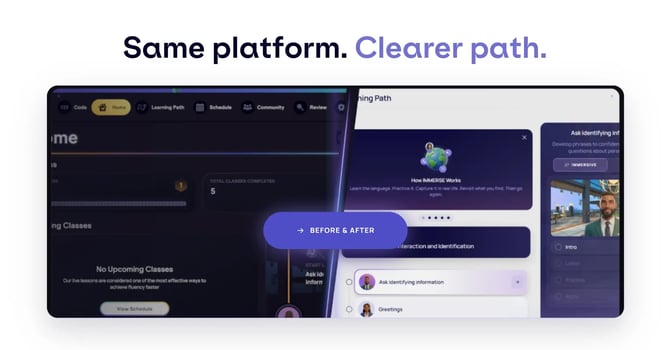
You'll notice the difference the moment you log in — a cleaner interface and a lighter, more intuitive experience at every step, on both Web and Mobile.
Click here to log in and see for yourself.
ℹ️Changes to Expect - Desktop/Mobile only
- Self-Paced Lesson AI: Your AI Coach avatar now appears in higher-definition detail during self-paced lessons. The avatar does not move during the lesson. This is expected. However, more immersive avatar animations are planned for a future update.
- Live Class Prep: The previous pronunciation prep activity has been removed from live class prep. We encourage you to use Capture instead (see below). Capture offers strong coaching feedback and builds a custom lesson around your own practice.
💭 Are you a VR user?
This visual update applies to Desktop and Mobile only. Your VR experience stays exactly as it is today — no changes on your end.
🕹️ Simplified In-Class Desktop Controls
Live classes and community spaces just got a lot easier to navigate.
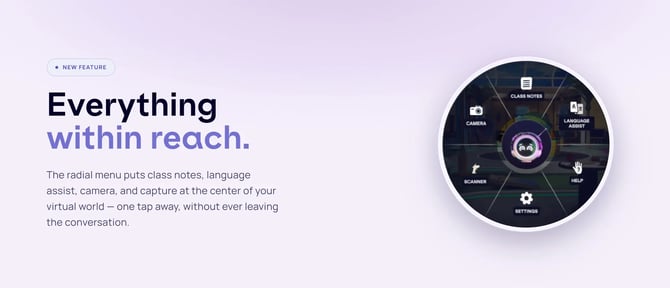
Press the spacebar, and everything you need — Class Notes, Language Assist, Object Scanner, Camera, Help, and Settings — becomes available in one simplified menu.
🔁 See What Changed
- Before: Tools were spread across a busy toolbar.
- Now: One press of the spacebar puts everything you need in a single, simple menu. Includes:
- Improved system for easier interactions with scene objects
- Easier POV selection for finding your preferred view
No more hunting for the right tool mid-class — just press and go.
🧑🎓 New Welcome & Tutorial Experience
With so much new to explore, we've added a few things to help you get oriented:
- A brief Welcome modal introduces new and returning members to the refreshed IMMERSE
- A new in-scene tutorial replaces the previous walkthrough for desktop learners (only), covering the new desktop controls, movement, object interaction, and how to get help. VR users will not have a new tutorial.
- The tutorial is replayable anytime from the Help menu in your Profile (only on Desktop).
📱 Brand New Mobile App
IMMERSE is now available as a native app on the iOS App Store and Google Play Store, replacing the old save-to-homescreen web app.
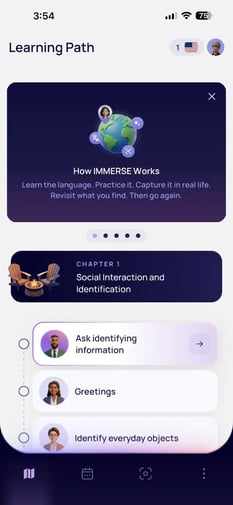
From your phone, you can:
- Pick up your Learning Path and take AI-powered lessons
- Utilize our new “Capture” feature for practice in your real life environment
- Review and book upcoming live classes on your Schedule
- Review your notes and past progress
- Update your profile and preferences
All from the convenience of your pocket. Click here to learn more.
🎯 Introducing “Capture”
Point your phone or glasses at the world around you, or capture a real conversation as it happens — a call, a meeting, a moment of practice. Either way, Capture turns what you see into instant feedback and a lesson built just for you.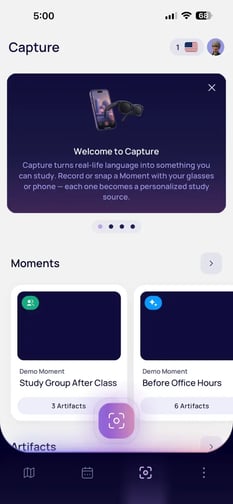
💡 How to capture your first Moment in 5 minutes or less:
- Open the IMMERSE app, or sign in online at app.immerse.online
- Start a Capture in Coach or Listen mode
- Review your feedback once you're done
- Turn that Moment into a new personalized lesson
Capture is available on desktop, mobile, and AI Glasses — so it's ready wherever your conversation happens.
Click here to learn more about this new Capture feature.
🕶️ IMMERSE on AI Glasses
Built in partnership with Meta and Google, IMMERSE now works with AI glasses — bringing you coaching in your ear, in the moment, while you stay fully present with the person in front of you.
No screen to check mid-conversation. Just support, exactly when you need it.
Click to learn more about pairing AI Glasses.
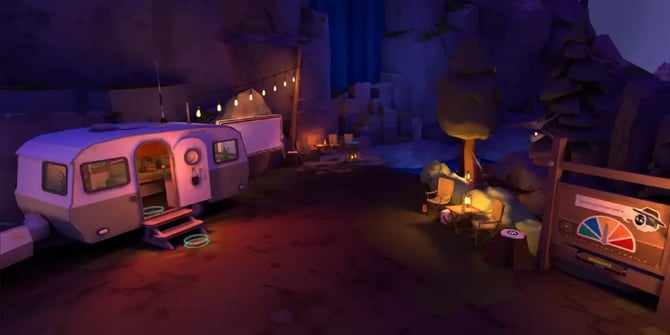
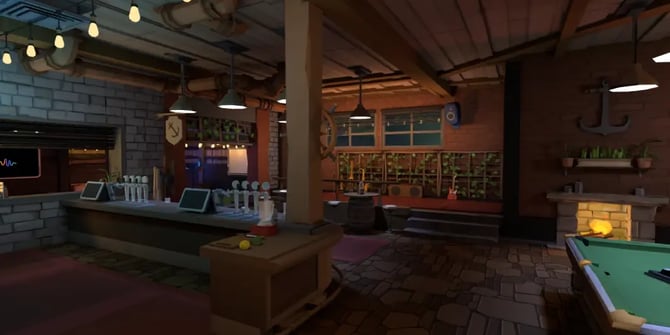
🌿 Refreshed Scenes
Two fan-favorite scenes got a refresh:
- Nature Walk —
- Bar —
🛠️ Bug Fixes & Improvements
✨ We've made significant improvements to our connectivity system. We did so to minimize connection issues and offer a generally more stable and consistent experience when in scenes with other people. Scenes load faster, transitions feel smoother, and the overall experience is more reliable from the moment you log in.
In addition, we have resolved several issues across the platform for a smoother experience:
VR Fixes:
- Fast Food bench seats no longer seat avatars too high
- Liquid in cups now displays correctly when joining a scene already in progress
- Fixed an issue causing the level-up assessment to load indefinitely
- Grabbable objects no longer disappear in the Shopping Center
- Localization fixes for Portuguese
- Fixed audio playback for gestures made while loading into a scene
- Fixed an issue with the categorization activity in self-paced lessons
Web Fixes:
- Read-Only HR Admins can now only access learners within their Reporting Groups
- Read-Only HR Admins can now resend invites for learners in Onboarding status
- Fixed the "Skill Focus Area" section in the B2B onboarding flow on short browser windows
- Fixed the B2B onboarding flow defaulting to English when another display language was selected
- Fixed the B2B dashboard status filter defaulting to "Inactive" and "Expired" under "All Contracts"
🧑💼 For Program Administrators
A couple of updates for those managing IMMERSE for their teams:
- Sales AE users now have the same access to the B2B Dashboard as Staff members
- Hovering over a disabled "Add Learners" button now explains that the enrollment date has passed
📌 Need help or have questions?
Reach out anytime at support@immerse.com or contact your Account Executive.